
A major cybersecurity incident saw Russia’s Midnight Blizzard breach Microsoft and Hewlett-Packard Enterprise, accessing executive emails and sensitive internal communications, marking one of the most significant state-sponsored attacks of early 2025.
The latest high-impact general IT news today is that the Adani Group plans to invest up to $5 billion in Google’s new AI infrastructure hub in southern India, marking a major boost to AI development and digital capacity in the region[1]. Additionally, cybersecurity concerns rise as researchers uncovered over 17,000 live secrets exposed in public GitLab projects, highlighting risks in software development environments[2][3].
Professional certifications have become essential credentials in today’s competitive job market. Whether you’re looking to advance in your current field or transition to a new career, earning industry-recognized certifications can significantly boost your earning potential and career prospects.
According to recent studies, professionals with certifications earn an average of 15-20% more than their non-certified counterparts. Certifications validate your expertise and demonstrate commitment to professional development, making you a more attractive candidate to employers.
Popular certification paths include IT certifications from CompTIA (https://www.comptia.org), project management credentials from PMI (https://www.pmi.org), and cloud computing certifications from AWS (https://aws.amazon.com/certification). Each certification requires dedicated study and preparation, but the investment often pays off through increased job opportunities and higher salaries.
When choosing a certification, consider your career goals, industry demand, and the time commitment required. Research shows that certifications aligned with emerging technologies and in-demand skills provide the best return on investment for career advancement.
Affinity iPad Apps — Lifetime Free Promotion (October 2025 Update)
In early October 2025, Affinity (developed by Serif) is offering all three of its iPad creative apps — Affinity Photo 2, Affinity Designer 2, and Affinity Publisher 2 — as completely free to download and permanently licensed for a limited period.
this “lifetime free” campaign is intended to mark the transition before Affinity launches its next-generation products, expected at the end of October 2025. During this promotional window, users can obtain full, perpetual access to the current versions via a $0 in-app purchase.
⸻
- App Overview
Affinity Photo 2 for iPad
A professional raster-based image editor, comparable to Adobe Photoshop but optimized for touch and Apple Pencil.
Core features:
• RAW photo development, HDR, panorama stitching, focus stacking.
• Layer masks, adjustment layers, real-time filters, non-destructive editing.
• Full PSD import/export and integration with Designer and Publisher.
Ideal for photographers, digital artists, and retouchers who need desktop-class power on iPad.
⸻
Affinity Designer 2 for iPad
A hybrid vector + raster design tool — similar to Illustrator but faster and fully optimized for iPad multitouch.
Core features:
• Infinite artboards, grids, snapping, and advanced vector tools.
• Pixel persona for detailed texture work.
• CMYK and Pantone support for print workflows.
Perfect for graphic designers, illustrators, and UI/UX professionals.
⸻
Affinity Publisher 2 for iPad
A full desktop-publishing environment built for multi-page layout design.
Core features:
• Professional page composition, linked text frames, master pages.
• Integration with Designer and Photo via StudioLink (switch persona seamlessly).
• Export to print-ready PDF/X and EPUB.
Best suited for publishers, layout designers, and marketing professionals.
⸻
- What “Lifetime Free” Means
During this promotional period:
• Each app can be downloaded and unlocked for $0 (no payment required).
• Once redeemed, the license remains active permanently for the current version (Version 2).
• Users will retain all professional features indefinitely, without a subscription.
• However, when future major versions (e.g., Version 3) are released, users may need to repurchase or upgrade — Affinity has not yet confirmed future pricing.
This effectively makes the 2025 promotion a “one-time free license grant” for existing iPad builds.
⸻
- Activation & Registration Steps
Follow these instructions carefully to secure your permanent license during the offer window.
Step 1 — Download the Apps
- On your iPad, open the App Store.
- Search for:
• Affinity Photo 2 for iPad
• Affinity Designer 2 for iPad
• Affinity Publisher 2 for iPad - Tap Get to install each app (they are temporarily listed as free).
⸻
Step 2 — Launch and Check the License Screen
- Open one of the apps after installation.
- A welcome or activation window will appear offering “Unlock Full Version.”
- During the promotion, this option should display “$0 (Free)” as the in-app purchase price.
⸻
Step 3 — Create or Log In to an Affinity / Serif Account
- Tap Sign In / Create Account when prompted.
- If you’re a new user:
• Enter your email address, password, and country/region.
• Verify your email via the confirmation message sent by Serif. - Existing users can simply sign in with their current Affinity ID credentials.
⸻
Step 4 — Redeem the Free License
- Select the “$0 Unlock Full Version” button.
- Confirm the transaction using Face ID / Touch ID (Apple ID confirmation).
- The purchase will complete instantly at no cost, and the app will display “Licensed / Full Version Activated.”
⸻
Step 5 — Verify and Sync the License
- Open the other two Affinity iPad apps.
- Sign in with the same Serif ID to sync your license status.
- Each app should automatically detect and activate its corresponding free license.
⸻
Step 6 — Record Your License Information
• Go to Settings › Account › Licenses in any Affinity app to confirm that the license type is “Perpetual.”
• Capture a screenshot or note the license ID for recordkeeping.
• Keep your Serif account credentials secure in case future reactivation is needed.
⸻
- Important Notes
• This “lifetime free” promotion is time-limited — once the campaign ends, the apps will likely return to paid status.
• “Lifetime” applies only to the current version (v2); upgrades to future versions may still incur a charge.
• The offer is officially available worldwide via the App Store, though regional availability may vary.
• Serif’s official site currently features a teaser titled “Creative Freedom Is Coming”, hinting at a major announcement scheduled for October 30 2025.
Browser becomes a tab-context AI surface (summaries across up to 10 tabs); re-think extensions/help flows.
Security/Compliance: Launch excludes standard Workspace certifications (HIPAA, SOC, ISO, FedRAMP High). Gate usage.
Investor: Locks users further into Google surfaces; raises bar for AI browsers.
Technical details: Tab-aware context, omnibox AI Mode, Gemini Live; desktop Mac/Windows; US/EN; 18+. Mobile integration coming.
Risks & mitigations:Detect: DLP/telemetry on browser AI usage.
What happened: On August 12, Microsoft released patches for 111 security flaws, including a zero‑day in Windows Kerberos (CVE‑2025‑53779) enabling full domain admin compromise via relative path traversal; credit to Yuval Gordon of Akamai.
Why it matters: CTOs and security leaders must prioritize patching owing to the extreme enterprise impact.
Technical details: 13 critical vulnerabilities; one high-severity Azure OpenAI remote access (CVE‑2025‑53767, CVSS 10.0).
Risks & Mitigations: Unpatched systems risk full compromise.
Action: detect patched status → assess exposure → apply updates urgently.
Market angle: Security diligence differentiator for platforms; failure could erode trust.
source: https://thehackernews.com/2025/08/microsoft-august-2025-patch-tuesday.html?utm_source=chatgpt.com&m=1
The alleged Oracle Cloud breach, discovered in March 2025, involved the exfiltration of approximately 6 million records affecting over 140,000 tenants1. The threat actor, known as “rose87168,” claimed to have exploited a vulnerability (CVE-2021-35587) in Oracle’s cloud login infrastructure, specifically targeting the endpoint login.(region-name).oraclecloud.com2. The compromised data reportedly includes Java Key Store (JKS) files, encrypted SSO and LDAP passwords, and Enterprise Manager JPS keys12. Despite Oracle’s denial of the breach, multiple customers have confirmed to BleepingComputer that data samples shared by the attacker are valid3, and independent security researchers have corroborated the incident’s authenticity45.
Citations:
- https://www.esecurityplanet.com/trends/oracle-cloud-breach-6m-records-140k-tenants-risk/
- https://orca.security/resources/blog/oracle-cloud-breach-exploiting-cve-2021-35587/
- https://www.bleepingcomputer.com/news/security/oracle-customers-confirm-data-stolen-in-alleged-cloud-breach-is-valid/
- https://www.acaglobal.com/insights/six-million-records-potentially-compromised-oracle-cloud-breach
- https://blackkite.com/blog/oracle-cloud-breach-claims-denials-and-the-reality-of-cloud-security-risks-in-tprm/
Honeywell International intends to take its quantum computing company, Quantinuum, public within the next two years, aiming for a valuation around $10 billion. Quantinuum has achieved notable advancements, including surpassing classical capabilities in number generation tasks.

As the world moves closer to an era of practical quantum computing and artificial intelligence-driven data processing, recent advancements by Amazon and Broadcom have set the stage for groundbreaking developments. Amazon’s Ocelot quantum chip and Broadcom’s PCIe Gen 6 technology represent significant technological leaps, addressing existing limitations while paving the way for future innovations. This article explores these advancements, the new and existing techniques applied, and their long-term implications.—Amazon’s Ocelot Quantum Chip: A New Era in Fault-Tolerant ComputingExisting Challenges in Quantum ComputingQuantum computing has long been plagued by a critical issue—error rates. Conventional quantum computing architectures, particularly those using superconducting qubits, are highly susceptible to noise and decoherence. These errors demand complex quantum error correction (QEC) mechanisms, requiring vast numbers of physical qubits to maintain computational reliability.New Techniques Introduced by OcelotAmazon Web Services (AWS) has introduced the Ocelot quantum chip, designed to reduce error rates and accelerate the journey toward fault-tolerant quantum computing. The key innovations in Ocelot include:1. Cat Qubits: A Game-Changer in Error SuppressionUnlike traditional qubits, cat qubits leverage quantum superposition to suppress bit-flip errors intrinsically.This design significantly reduces the overhead associated with error correction, making quantum computations more efficient.2. Bosonic Quantum Error Correction (BQEC)Ocelot employs a bosonic encoding scheme, which allows quantum states to be represented in higher dimensions.This technique improves error resilience, enhancing computational stability while reducing the number of required error-correcting qubits.Implications of Ocelot for Quantum ComputingImproved Resource Efficiency: Ocelot’s approach could lower physical qubit requirements by up to 90%, making large-scale quantum systems more feasible.Scalability for Commercial Use: The adoption of cat qubits and bosonic QEC opens new pathways for scalable quantum computing architectures, enabling applications in materials science, drug discovery, and financial modeling.A Step Toward Quantum Supremacy: With more reliable qubits, Ocelot brings quantum computing closer to achieving supremacy in solving problems beyond classical computers’ reach.For more details, refer to Amazon’s Official Blog on Ocelot.—Broadcom’s PCIe Gen 6: Revolutionizing AI Data CentersExisting Bottlenecks in AI InfrastructureAs artificial intelligence models grow exponentially in complexity, data centers must support high-bandwidth, low-latency communication between processors. Traditional PCIe Gen 5 technology, operating at 32 GT/s (gigatransfers per second), struggles to keep up with the increasing demands of large-scale AI computations.Breakthroughs in PCIe Gen 6Broadcom’s latest PCIe Gen 6 technology addresses these challenges by doubling the data transfer rate and introducing new system-level enhancements.1. 64 GT/s Data Transfer SpeedsPCIe Gen 6 provides twice the bandwidth of its predecessor, offering seamless data flow essential for AI training and inference tasks.This enhancement significantly reduces processing bottlenecks in AI applications.2. Advanced Telemetry and DiagnosticsThe new generation introduces real-time diagnostic features, allowing data centers to monitor and optimize performance dynamically.This innovation minimizes downtime and enhances system reliability.3. Interoperability with Leading AI HardwareBroadcom collaborated with Micron Technology and Teledyne LeCroy to ensure seamless integration with modern AI servers, GPUs, and accelerators.Hyperscalers and OEMs/ODMs have already begun adopting PCIe Gen 6 in their next-generation AI solutions.Implications of PCIe Gen 6 for AI ComputingAcceleration of AI Model Training: By reducing latency and increasing bandwidth, Broadcom’s solution allows AI models to process larger datasets more efficiently.Lower Energy Consumption: The enhanced efficiency translates to reduced power consumption per computation, making AI data centers more sustainable.Industry-Wide Adoption: Major cloud service providers and AI chip manufacturers are incorporating PCIe Gen 6 to support large-scale AI workloads, paving the way for future breakthroughs in machine learning and autonomous systems.For further insights, refer to Broadcom’s Official Announcement.—Comparative Analysis: Ocelot vs. PCIe Gen 6—Conclusion: The Future of High-Performance ComputingBoth Amazon’s Ocelot quantum chip and Broadcom’s PCIe Gen 6 interconnect mark critical advancements in their respective fields. While Ocelot pushes the boundaries of quantum error correction and computational efficiency, PCIe Gen 6 ensures AI data centers operate at peak performance.As these technologies continue to evolve, we can expect:Faster AI model development with seamless data flow and reduced latency.Scalable quantum computing capable of tackling problems beyond classical limitations.Industry-wide adoption, driving the next wave of computational advancements.These innovations highlight how quantum computing and AI infrastructure are converging toward a future where high-performance computing reshapes industries across finance, healthcare, cybersecurity, and beyond.For a deeper dive into these advancements, stay tuned to industry-leading sources like Amazon Science, Broadcom News, and TechCrunch.
Amazon Chime will be discontinued through a phased approach:
• February 19, 2025: Amazon will stop accepting new Chime accounts.
• February 20, 2026: The final shutdown date for the service.
During this transition period, existing customers with Team or Enterprise accounts created before the cutoff date can continue using all Chime features, including scheduling meetings, managing users, and accessing the administration console. This timeline gives users over a year to migrate their communications to alternative platforms and ensure a smooth transition away from the service.
Recommended Alternatives
As Amazon Chime users prepare for the service’s discontinuation, several alternative platforms are recommended for a smooth transition. Here’s a list of popular collaboration tools that offer similar features:
• Zoom: Now Amazon’s official meeting application for internal and external communications. It offers robust video conferencing, chat, and collaboration features.
• Microsoft Teams: A comprehensive platform integrating chat, video meetings, file storage, and application integration within the Microsoft 365 ecosystem.
• Google Meet: Part of Google Workspace, it provides seamless video conferencing and collaboration tools, especially for organizations already using Google’s suite of products.
• Slack: While primarily known for its chat capabilities, Slack also offers video calling and screen sharing features, making it a versatile option for team communication.
• Cisco Webex: An enterprise-focused solution offering video conferencing, team messaging, and file-sharing capabilities.
When choosing a replacement for Chime, organizations should consider factors such as scalability, security features, integration capabilities with existing tools, and specific communication needs to ensure a successful transition before the February 2026 deadline.
Sources
[1] Amazon Pulls the Plug on ‘Chime,’ Its Zoom Alternative – PCMag
[2] Amazon is Shutting Down its Zoom and Google Meet Rival: Here’s What the Company Said – Times of India
[3] Amazon to End Support for Chime – DMNews
[4] Amazon Shuts Down Chime, Its Zoom Alternative – TechCrunch
[5] Amazon is Ending Support for Its Business Calls and Meetings Service – TechRadar

On February 21, 2025, Apple discontinued its Advanced Data Protection (ADP) service in the UK, ending end-to-end encryption for iCloud data in the region. This move came after a secret government order issued in January 2025 under the Investigatory Powers Act, which demanded that Apple implement a backdoor for UK security officials to access encrypted data globally. Instead of complying with this request, Apple opted to remove the ADP feature from the UK market, reaffirming its commitment against creating encryption backdoors.
This decision will notably impact UK users. Current ADP subscribers must manually disable the feature during the designated grace period to keep their iCloud accounts active, since the change cannot be applied automatically [1][2]. As a result, they will lose the highest level of protection for their iCloud data—covering photos, notes, message backups, and device backups [3][4]. However, several services will still benefit from end-to-end encryption, including:
- iMessage
- FaceTime
- Health data
- iCloud Keychain [5][6]
Moreover, new UK users will no longer have the option to enable ADP on their accounts [4].
Apple has indicated that guidance on managing accounts and alternative data protection options will be provided to affected users in the coming weeks [1][2].
Citations:
[1] https://9to5mac.com/2025/02/21/apple-removing-end-to-encryption-uk/
[2] https://techcrunch.com/2025/02/21/apple-pulls-icloud-end-to-end-encryption-feature-for-uk-users-after-government-demanded-backdoor/
[3] https://www.gbnews.com/tech/apple-icloud-advanced-data-protection-uk-government
[4] https://www.computerworld.com/article/3830376/apple-terminates-uk-data-protection-after-government-overreach.html
[5] https://gizmodo.com/apple-says-no-to-uk-backdoor-order-will-pull-e2e-cloud-encryption-instead-2000566862
[6] https://www.techradar.com/computing/cyber-security/we-will-never-build-a-backdoor-apple-kills-its-iclouds-end-to-end-encryption-feature-in-the-uk
Microsoft claims to have created Majorana particles, which could lead to more stable qubits for quantum computing. However, many physicists are skeptical of the results, citing insufficient evidence and lack of reproducible data. To build confidence, Microsoft needs to release more experimental data and collaborate with independent researchers. Long-term, fostering an open scientific environment where discoveries are validated through transparent research could help address these doubts.
https://www.wsj.com/science/physics/microsoft-quantum-computing-physicists-skeptical-d3ec07f0
ToxicPanda is a recently identified Android banking trojan that poses significant threats to users by targeting financial information and facilitating unauthorized transactions. Discovered in October 2024, it is believed to have evolved from the TgToxic malware family, with notable code modifications distinguishing it as a separate entity.
Key Characteristics and Threats:
On-Device Fraud (ODF): ToxicPanda employs ODF techniques, allowing attackers to perform account takeovers directly from compromised devices. This method enables the initiation of unauthorized money transfers while bypassing traditional banking security measures.
Abuse of Accessibility Services: By exploiting Android’s accessibility services, the malware gains elevated permissions, enabling it to manipulate user inputs, capture data from other applications, and remotely control the infected device.
Interception of One-Time Passwords (OTPs): ToxicPanda can intercept OTPs sent via SMS or generated by authenticator apps, allowing cybercriminals to bypass two-factor authentication (2FA) and authorize fraudulent transactions.
Remote Control Capabilities: The malware enables attackers to perform various actions, including initiating transactions and modifying account settings without the user’s knowledge.
Geographical Impact:
As of November 2024, over 1,500 Android devices have been infected, with significant concentrations in Italy, Portugal, Spain, France, and Peru. This distribution underscores the malware’s extensive reach and adaptability.
Protective Measures:
To safeguard against ToxicPanda:
Install Apps from Trusted Sources: Only download applications from official app stores like the Google Play Store to minimize the risk of malware infection.
Regularly Update Your Device: Keep your device’s operating system and applications updated to ensure the latest security patches are applied.
Be Cautious with Permissions: Be wary of apps requesting access to accessibility services or other sensitive permissions without a clear justification.
Monitor Financial Accounts: Regularly check your bank statements and account activities for any unauthorized transactions.
By adhering to these precautions, users can reduce the risk of falling victim to ToxicPanda and similar banking trojans.

In the UK, both the General Data Protection Regulation (GDPR) and the Privacy and Electronic Communications Regulations (PECR) govern how businesses can send marketing emails. Under GDPR, personal data (like email addresses) cannot be used for marketing without explicit consent, and PECR further emphasizes that marketing emails require prior opt-in consent. Merely including an opt-out link does not suffice if the email was sent without prior permission. This legal framework ensures that individuals’ privacy is protected and that businesses follow responsible data practices.
The Information Commissioner’s Office (ICO) is the regulatory body in the UK responsible for enforcing these laws. They have the power to investigate breaches, issue fines, and require organizations to change their practices to comply with data protection regulations. The ICO takes a proactive role in ensuring compliance with both GDPR and PECR. In the case of Quick Tax Claims Limited and National Debt Advice Limited, the ICO fined these companies a total of £150,000 for sending millions of unsolicited spam messages without the proper consent. This shows the ICO’s commitment to protecting consumers from unwanted communications and ensuring businesses follow legal procedures.
Here is the detailed case regarding the fines issued by the ICO, which you can reference: Two companies fined £150k for spam texts.
This case emphasizes the importance of following data protection laws in the UK and the role of the ICO in safeguarding individuals’ rights to privacy.
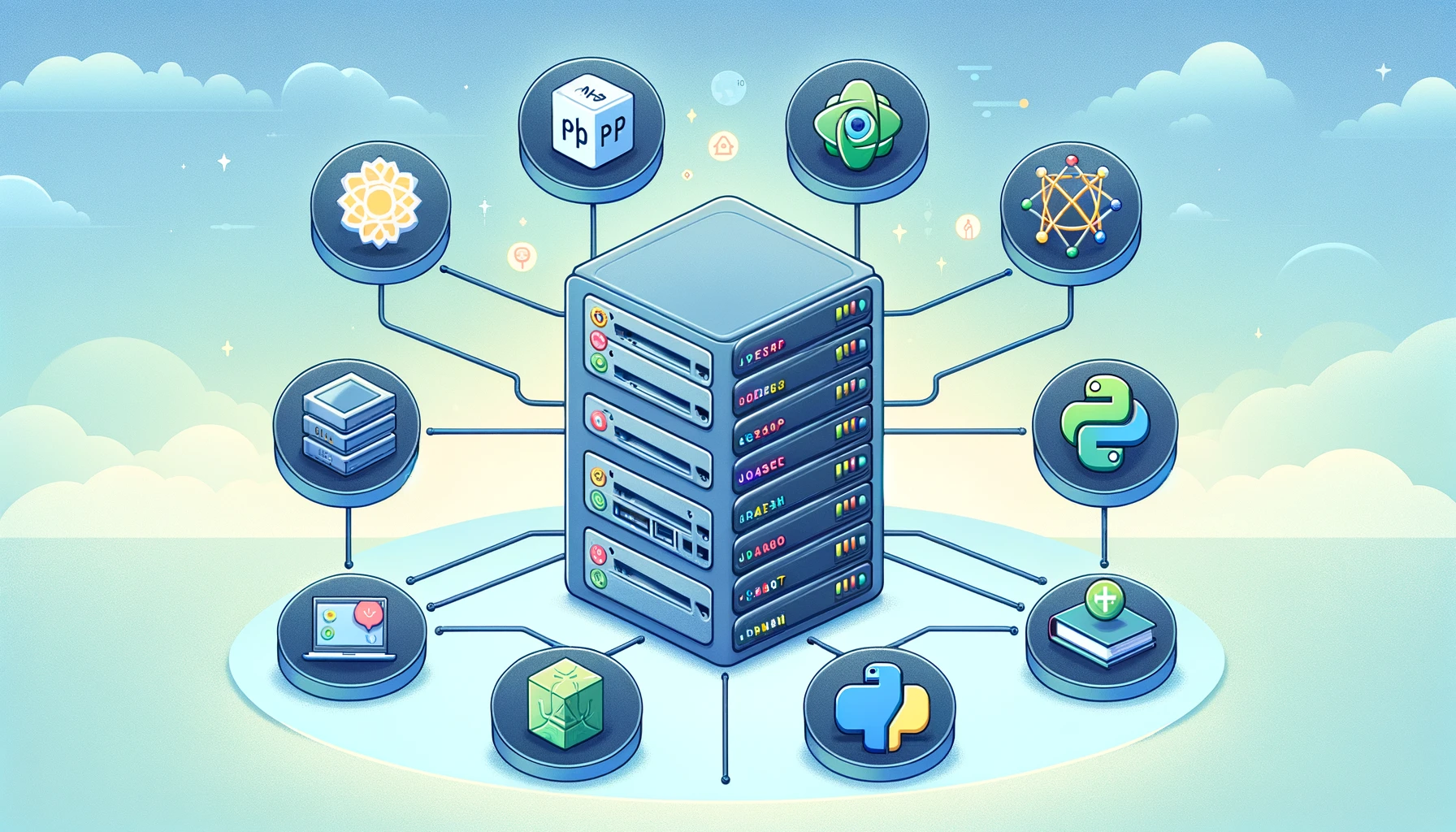
Server-side languages play a critical role in web development by enabling the creation of dynamic, interactive websites and applications. These languages run on web servers and handle backend tasks, including database interactions, user authentication, and application logic. As the backbone of the internet’s infrastructure, server-side languages are essential for delivering a seamless user experience. In 2024, the most popular server-side languages include PHP, Node.js, and Python, each offering unique advantages and serving different purposes within the web development ecosystem.
What is a Server-Side Language?
A server-side language is a programming language used to create scripts that run on the web server rather than on the user’s browser. These languages are responsible for managing server operations, database communications, and business logic, ensuring that the front-end, what users see and interact with, can function correctly and efficiently. The primary functions of server-side languages include processing user inputs, accessing databases, and serving the processed data back to the client’s browser.
Popular Server-Side Languages Today
- PHP: PHP, or Hypertext Preprocessor, has been a cornerstone of web development since its inception in 1994. Known for its simplicity and efficiency in building dynamic web pages, PHP powers approximately 76.2% of websites using a server-side language. It is especially prominent in content management systems (CMS) like WordPress, which alone dominates a significant portion of the web. PHP’s extensive community support and wide range of frameworks, such as Laravel and Symfony, make it a go-to choice for developing robust, scalable web applications (W3Techs) (W3Techs).
- Node.js: Node.js is a runtime environment that allows developers to use JavaScript for server-side scripting, effectively bridging the gap between front-end and back-end development. Since its launch in 2009, Node.js has gained popularity for its non-blocking, event-driven architecture, which is ideal for real-time applications like chat apps, online gaming, and live streaming services. Node.js is used by approximately 3.3% of websites with known server-side languages. Its ability to handle numerous simultaneous connections with high throughput makes it a preferred choice for modern, scalable web applications (W3Techs) (Bacancy).
- Python: Python is celebrated for its readability, simplicity, and versatility, extending far beyond web development into fields like data science, machine learning, and artificial intelligence. Despite its broader application scope, Python is also a popular choice for web development, particularly with frameworks like Django and Flask. These frameworks provide robust, secure, and scalable solutions for web applications. Python is used by about 1.4% of websites with a known server-side language, reflecting its growing influence in the web development space (W3Techs) (W3Techs).
Comparative Advantages
- PHP: PHP excels in traditional web development scenarios, particularly where content management and dynamic page generation are crucial. Its extensive range of built-in functions and seamless integration with databases like MySQL make it an excellent choice for developing content-heavy websites and applications (W3Techs).
- Node.js: Node.js is highly suited for applications requiring real-time data processing and high scalability. Its non-blocking I/O operations enable efficient handling of multiple simultaneous connections, making it ideal for applications such as chat servers, online games, and streaming services (W3Techs) (Bacancy).
- Python: Python’s strength lies in its versatility and ease of use, making it a preferred choice for projects that extend beyond traditional web development. Its robust frameworks, like Django, offer excellent security features and scalability, while its simplicity and readability make it accessible to developers of all skill levels (W3Techs).
Performance
- Node.js: Known for its performance, Node.js operates on a single-threaded, event-driven architecture that handles multiple concurrent requests efficiently. Its asynchronous nature allows for faster execution, especially for I/O-bound tasks. It utilizes the V8 engine, which further boosts its performance (Hackr.io) (InfoStride).
- PHP: Historically slower due to its synchronous execution model, PHP has improved with the advent of PHP 7 and 8, which offer significant performance boosts. However, it still generally lags behind Node.js in scenarios requiring high concurrency and real-time capabilities (InfoStride) (DOIT).
- Python: Typically not as fast as Node.js in web applications, Python’s performance varies depending on the specific use case. It shines in tasks involving heavy computation and scientific processing when optimized libraries like NumPy and Cython are used (InfoStride) (GMI Software).
Security
- Node.js: Offers robust security features but requires diligent use of security practices due to its asynchronous nature and extensive use of third-party packages. Managing dependencies and avoiding vulnerabilities in modules are crucial (Hackr.io).
- PHP: Has historically faced security challenges but has matured significantly. Modern PHP includes built-in functions to help prevent common vulnerabilities like SQL injection and cross-site scripting. However, it requires developers to follow best practices consistently (YES IT Labs LLC) (GMI Software).
- Python: Considered one of the most secure languages due to its simplicity and the security measures built into its frameworks. Frameworks like Django come with many security features by default, making it easier to build secure applications (GMI Software).
Supported Modules and Functions
- Node.js: Boasts a vast ecosystem with the npm repository, offering a wide range of modules for virtually any functionality. Its asynchronous modules and extensive support for modern web technologies make it highly versatile for both front-end and back-end development (Hackr.io) (DOIT).
- PHP: Features a rich set of built-in functions and a wide range of frameworks like Laravel, Symfony, and CodeIgniter. It is particularly strong in server-side web development, with extensive support for database integration and web-specific tasks (Hackr.io) (DOIT).
- Python: Known for its comprehensive standard library and support for numerous external libraries via PyPI. Python’s frameworks like Django and Flask facilitate rapid development of web applications, while its libraries for data science, machine learning, and automation extend its use beyond just web development (GMI Software).
Use Cases
- Node.js: Ideal for real-time applications such as chat applications, collaboration tools, and data streaming services. Its event-driven, non-blocking architecture makes it suitable for applications requiring constant client-server interactions (InfoStride) (YES IT Labs LLC).
- PHP: Best suited for content management systems, e-commerce platforms, and any server-side web applications where database interactions are frequent but not necessarily real-time. It powers many of the web’s most prominent CMSs like WordPress and Drupal (InfoStride) (DOIT).
- Python: Versatile across various domains, from web development to scientific computing and machine learning. Python is commonly used for backend development in web applications, data analysis, AI, and scripting. Its readability and extensive libraries make it a preferred choice for rapid development and prototyping (InfoStride) (GMI Software).
As of May 2024, the usage statistics for server-side programming languages among websites are as follows:
- PHP:
- PHP remains the most widely used server-side programming language, powering 76.2% of websites that use a known server-side language. This high adoption rate is due to its long-standing presence in web development and extensive use in content management systems like WordPress, which alone powers a significant portion of the web (W3Techs) (W3Techs).
- Node.js:
- Python:
- Python is used by 1.4% of websites with a known server-side language. Python’s strengths lie in its readability, extensive libraries, and versatility, making it a popular choice for web development frameworks like Django and Flask, as well as for data science and machine learning applications (W3Techs) (W3Techs).
In summary:
- PHP: 76.2%
- Node.js: 3.3%
- Python: 1.4%

In the United Kingdom, Octopus Energy stands out as one of the leading power suppliers, renowned for its innovative approach and customer-centric services. One of the notable features offered by Octopus Energy is its Application Programming Interface (API), which empowers customers to integrate their applications seamlessly with the company’s systems.
The attached source code serves as a comprehensive guide on leveraging Octopus Energy’s API effectively. It illustrates the step-by-step process of utilizing the API to access relevant data and functionalities, thereby enabling developers to create tailored applications that cater to specific user needs.
By following the instructions provided in the source code, developers can harness the power of Octopus Energy’s API to enhance their applications with features such as real-time energy consumption tracking, billing information retrieval, and personalized energy usage recommendations. This integration not only facilitates a smoother user experience but also promotes energy efficiency and sustainability initiatives.
Furthermore, Octopus Energy’s commitment to transparency and accessibility is evident through its provision of an API, which empowers customers to take control of their energy usage and make informed decisions. This initiative underscores Octopus Energy’s dedication to fostering collaboration and innovation within the energy sector, ultimately driving positive change and empowering consumers in their energy management journey.
<!DOCTYPE html>
<html lang="en">

<head>
    <meta charset="UTF-8">
    <meta name="viewport" content="width=device-width, initial-scale=1.0">
    <title>Chart Display</title>
    <link href="https://cdn.jsdelivr.net/npm/[email protected]/dist/css/bootstrap.min.css" rel="stylesheet">
    <script src="https://cdn.jsdelivr.net/npm/chart.js"></script>
</head>

<body>
    <div class="container">
        <h2 class="mt-3">Data Chart (<?php echo date("d/m/Y"); ?>)</h2>
        <canvas id="dataChart" width="400" height="400"></canvas>

        <!-- Table to display data -->
        <div class="mt-4">
            <table class="table table-striped" id="dataTable">
                <thead>
                    <tr>
                        <th>Date Time</th>
                        <th>Cost(p)</th>
                    </tr>
                </thead>
                <tbody id= "datacontent">

                </tbody>
            </table>
        </div>
    </div>

    <script>
        document.addEventListener('DOMContentLoaded', function() {
            const data = <?php echo fetchChartData(); ?>;
            const ctx = document.getElementById('dataChart').getContext('2d');
            const myChart = new Chart(ctx, {
                type: 'line', // Change the type as needed (line, bar, etc.)
                data: {
                    labels: data.labels,
                    datasets: [{
                        label: 'p',
                        fill: true, // Enable filling below the line
                        data: data.values,
                        backgroundColor: [
                            'rgba(255, 99, 132, 0.2)'
                        ],
                        borderColor: [
                            'rgba(255, 99, 132, 1)'
                        ],
                        borderWidth: 1,
                        tension: 0.3
                    }]
                },
                options: {
                    scales: {
                        y: {
                            beginAtZero: true
                        }
                    }
                }
            });

            // Populate the data table using JavaScript
            const tableBody = document.getElementById('dataTable').getElementsByTagName('tbody')[0];
            data.labels.forEach((label, index) => {
                const row = tableBody.insertRow();
                const cell1 = row.insertCell(0);
                const cell2 = row.insertCell(1);
                const tempdate= new Date(label);
                cell1.textContent = tempdate.getDate()+"/"+(tempdate.getMonth()+1)+"/"+tempdate.getFullYear()+" "+(tempdate.getHours())+":"+tempdate.getMinutes();
                cell2.textContent = data.values[index];
            });
        });


        <?php
        function fetchChartData()
        {

            $url = "[Your API link]";
            $apiKey = "[Your apikey]";
            $curl = curl_init();
            curl_setopt($curl, CURLOPT_URL, $url);
            curl_setopt($curl, CURLOPT_RETURNTRANSFER, true);
            curl_setopt($curl, CURLOPT_HEADER, false);
            curl_setopt($curl, CURLOPT_USERPWD, $apiKey . ":");
            $response = curl_exec($curl);
            curl_close($curl);
            $data = json_decode($response, true);

            // Assume the API returns an array of objects {label: "", value: 0}
            $labels = array_column($data['results'], 'valid_from');
            $values = array_column($data['results'], 'value_inc_vat');

            // Combine the names and data into one array of associative arrays
            $combined = array_map(null, $labels, $values);

            // Filter the combined array to remove entries with data <= 10
            $filtered = array_filter($combined, function ($item) {
                $today = date("d/m/Y");
                $d =  date('d/m/Y', strtotime($item[0]));
                return  $d>= $today; // Change 10 to your specific threshold
            });

            // Sort the combined array by names
            usort($filtered, function ($a, $b) {
                return $a[0] <=> $b[0]; // Sorting by name
            });

            foreach ($filtered as &$row) {
                $array[0]= strtotime($row[0])+ 60*60;
                $array[1]= $row[1];
                $row[] = $array ;
            }
            // Extract sorted names and data back out
            $sortedNames = array_column($filtered, 0);
            $sortedDatas = array_column($filtered, 1);

            return json_encode(['labels' => $sortedNames, 'values' => $sortedDatas]);
        } ?>
    </script>
</body>

</html>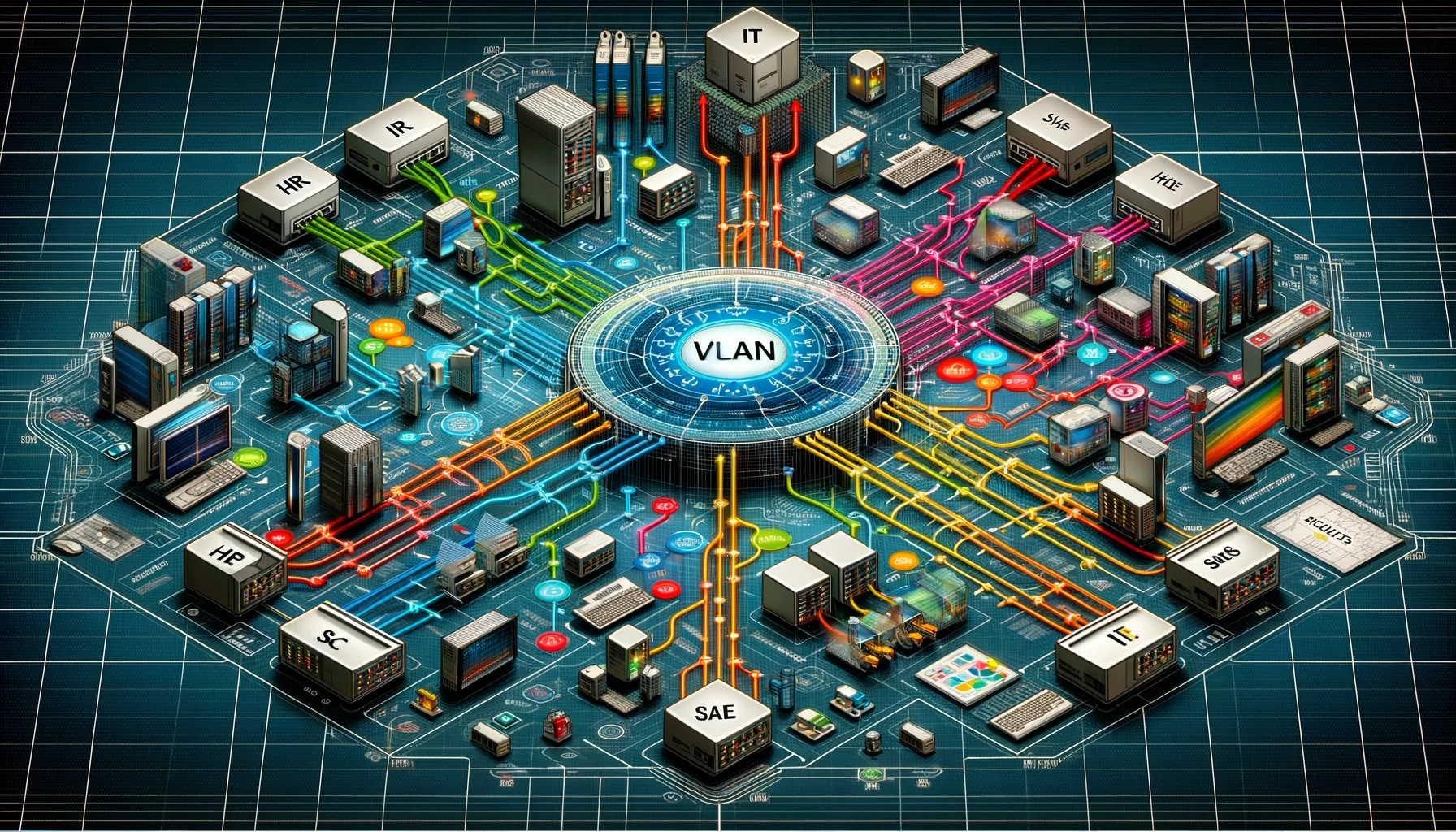
A VLAN, or Virtual Local Area Network, is a technology used to segment a single physical network into multiple distinct broadcast domains. This segmentation is achieved through the configuration of network devices such as switches and routers. Essentially, VLANs allow network administrators to group hosts together even if they are not directly connected to the same network switch.
Here are some of the key benefits of using VLANs within the same network:
- Improved Security: VLANs provide security by segmenting the network and limiting broadcast domains. Devices in one VLAN do not see traffic from another VLAN without explicit routing, thus reducing the risk of sensitive data leakage between different departments or user groups.
- Better Performance: By reducing the size of broadcast domains, VLANs decrease the amount of broadcast traffic on a network. This helps in managing network congestion and improves the overall performance of the network.
- Simplified Administration: VLANs can make network management easier. For example, adding or moving devices can be done with network configuration changes rather than physical relocation of devices. This allows for more flexible management of connections and network policies.
- Cost Efficiency: VLANs can help in reducing the need for costly network upgrades or additional hardware by optimizing the use of current network capacity and infrastructure.
- Segmentation and Isolation: VLANs allow the network to be split into logical groups for more effective and secure communication. For instance, a company could create VLANs to separate different departments like sales, HR, and technical support, ensuring that the network traffic and resources are allocated according to the needs of each department.
- Enhanced Control Over Policies: Network administrators can enforce policies on a per-VLAN basis, rather than across all devices on a network. This means policies and resource restrictions can be more finely tuned according to the needs of specific groups of users.
By utilizing VLANs, organizations can create a more flexible, secure, and efficient networking environment.
- Install web service server
- Download and install Xdebug of VS core, with correct version of xdebug php plugin and add follow in php.ini
zend_extension = xdebug [XDebug]
xdebug.mode = debug
xdebug.start_with_request = yes - In the PHP debug, click the setting and edit settings.json and add the follow
“php.debug.executablePath”: “[php.exe location]”,
“php.validate.executablePath”: “[php.exe location]”, - run debug directly

UI (User Interface) and UX (User Experience) are closely related but distinct aspects of product design, particularly in the digital domain. Here’s a straightforward way to differentiate the two:
- UI (User Interface): UI focuses on the visual elements of a product or digital experience. This includes the colors, typography, buttons, icons, spacing, and overall aesthetic. The UI is what users interact with directly on their screens. It’s about creating an intuitive and visually appealing interface that allows users to interact with the functionality of the product or service.
- UX (User Experience): UX, on the other hand, encompasses the overall experience a user has when interacting with a product or service. It’s not just about how something looks, but how easy and satisfying it is to use. UX design involves research, testing, and development to improve the usability, accessibility, and enjoyment provided in the interaction with the product. It takes into account the user’s journey to solve a problem or fulfill a need, aiming to make it as efficient, pleasant, and intuitive as possible.
In summary, UI is about how things look, while UX is about how things work and feel from the user’s perspective. A beautiful UI can draw users in, but without thoughtful UX design, they may not find the product easy or enjoyable to use. Both are essential for the success of digital products, working together to ensure that users not only are attracted to the product but also have a positive experience using it.
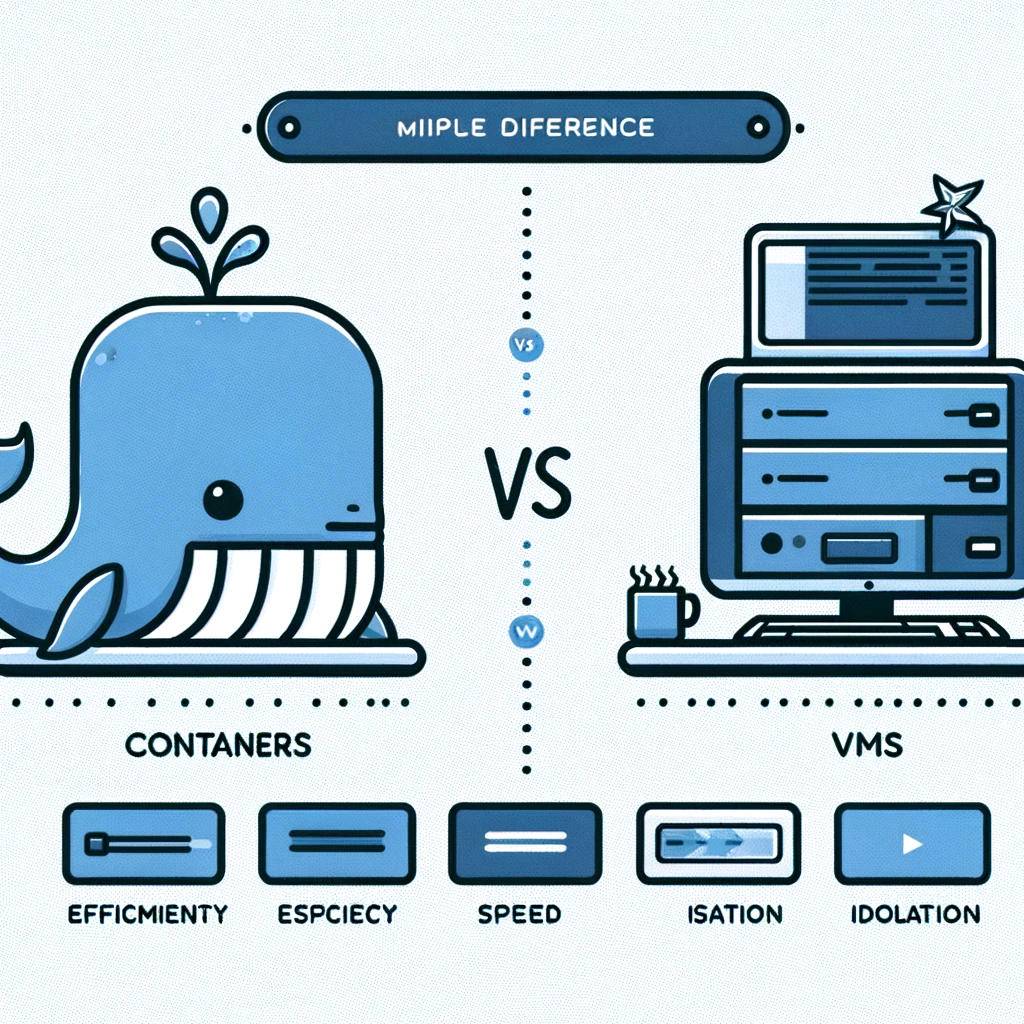
The terms “dock” and “VM” refer to fundamentally different technologies used in computing: Docker (implied by “dock”) and Virtual Machines (VMs). Here’s a brief overview of each and their differences:
Docker (Containers)
- Isolation Level: Docker uses containerization technology to package an application and its dependencies into a container that can run on any Linux server. Containers share the host system’s kernel but can be restricted in terms of CPU, memory, and I/O.
- Performance: Containers are lightweight because they don’t need the extra load of a hypervisor as they run directly within the host machine’s kernel. This allows for faster startup times and better performance.
- System Overhead: Minimal compared to VMs because multiple containers can run on the same machine and share the OS kernel.
- Use Cases: Ideal for microservices architectures, application isolation, continuous integration and continuous delivery (CI/CD), and development and testing environments where scalability and efficiency are critical.
Virtual Machines (VMs)
- Isolation Level: VMs use hypervisor technology (either Type 1 like Xen or KVM, or Type 2 like VMware Workstation or VirtualBox) to fully emulate the hardware of a physical machine, allowing you to run multiple instances of operating systems (OS) on a single physical server. Each VM includes a full copy of an OS, the application, necessary binaries, and libraries – taking up tens of GBs.
- Performance: VMs are heavier and have more overhead than containers due to the hypervisor layer and the need to run multiple full OS instances. This can lead to slower startup times and reduced performance.
- System Overhead: Higher than containers, as each VM runs its own OS.
- Use Cases: Suitable for running applications that require full isolation, secure and stable environments for legacy applications, or when you need to run multiple applications on servers of different operating systems.
Key Differences
- Architecture: Containers provide process-level isolation, whereas VMs provide full hardware-level isolation.
- Startup Time: Containers typically start in seconds, while VMs might take minutes to boot up.
- Resource Efficiency: Containers are more resource-efficient than VMs because they share the host system’s kernel and don’t need to load a separate OS for each instance.
- Scalability: Containers can be more easily scaled up or down because they are more lightweight and use fewer resources than VMs.
In summary, the choice between Docker (containers) and VMs depends on the specific needs of the application, including performance, scalability, isolation, and compatibility requirements. Containers are generally preferred for microservices and applications where efficiency and speed are critical, while VMs are used for applications requiring complete isolation or running in mixed-OS environments.
The comparison between Docker (containers) and Virtual Machines (VMs) reveals distinct advantages and disadvantages, influenced by their architectural differences and use cases. Here’s a deeper look into the pros and cons of each:
Docker (Containers)
Pros:
- Efficiency: Containers are highly efficient in terms of system resource usage because they share the host system’s kernel and avoid the overhead of running separate OS instances.
- Speed: Containers can start almost instantly, which is particularly advantageous in dynamic and scalable environments.
- Consistency Across Environments: Docker containers can run consistently across any environment, reducing the “it works on my machine” syndrome.
- Microservices Architecture: Ideal for microservices due to their lightweight nature, allowing for independent scaling and deployment of individual components.
- DevOps and CI/CD: Streamlines development, testing, and deployment processes, making it easier to implement continuous integration and continuous delivery pipelines.
Cons:
- Isolation: While containers are isolated at the process level, they are not as isolated as VMs. This might pose a security risk if not managed correctly.
- Kernel Sharing: All containers on a host share the host’s kernel, so if there’s a kernel-level vulnerability, it could potentially affect all containers.
- Persistent Data Management: Managing persistent data and storage for containers can be more complex than for VMs, requiring additional tools and configurations.
Virtual Machines (VMs)
Pros:
- Strong Isolation: VMs provide strong isolation by emulating hardware, which can be critical for security-sensitive applications.
- Full OS Control: Each VM runs its own OS, giving full control over the OS environment, which is necessary for applications with specific OS requirements.
- Versatility: Can run multiple different operating systems on the same hardware, making it suitable for testing across different environments or running legacy applications.
- Mature Technology: VM technology is well-established with a broad ecosystem of tools and platforms, offering robust management solutions and extensive support.
Cons:
- Resource Intensive: VMs are more resource-intensive than containers, requiring more system resources (CPU, memory, storage) due to running full OS instances.
- Slower Startup Times: VMs take longer to boot up than containers, which can be a drawback in environments where rapid scaling or frequent redeployments are necessary.
- Overhead: The need for a hypervisor and multiple OS instances introduces additional layers of overhead, potentially reducing performance compared to running applications natively or in containers.
In summary, the choice between Docker and VMs depends on specific project requirements. Docker is favored for its efficiency, speed, and facilitation of consistent development workflows, especially suitable for microservices and scalable applications. VMs, on the other hand, offer stronger isolation and are better suited for applications that require complete OS control, running in mixed-OS environments, or where security and isolation are paramount.